
Change your password whether you know it or forgot #
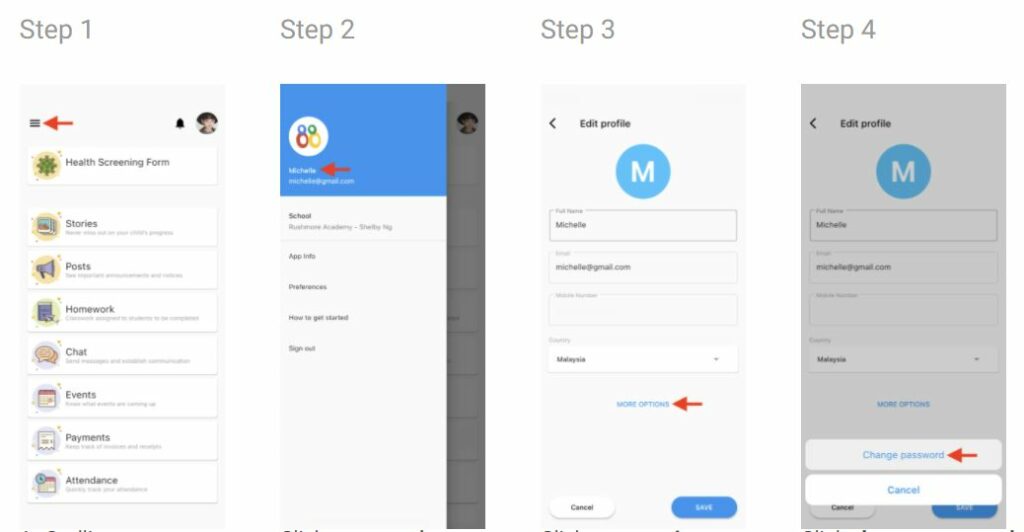
- Click the Menu icon on the top left
- Click on your name in the upper right
- Click more options
- Click change password
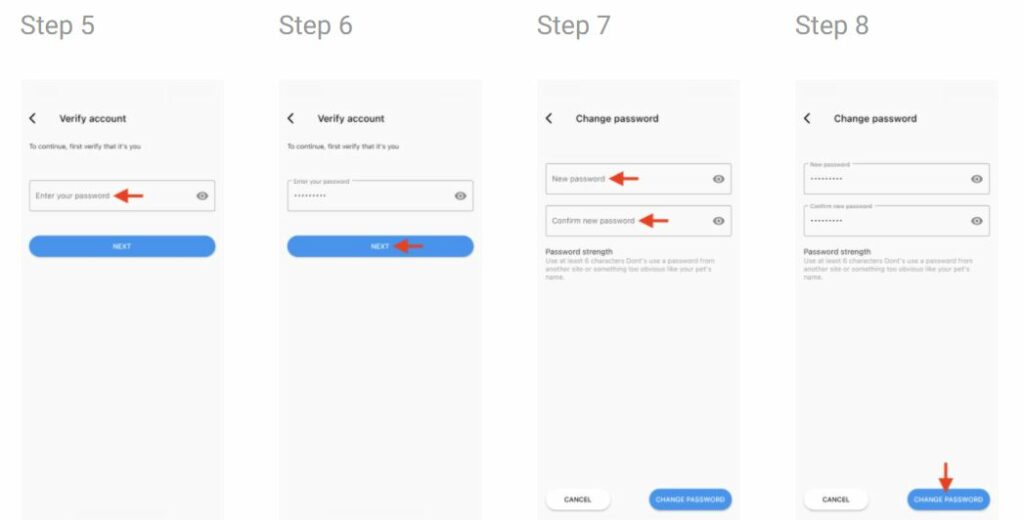
- For safety purposes, you are required to enter your old password to verify your identity.
- Click next
- Enter your new password. Re-enter your new password to confirm
- Click change password
You don’t remember your password #
If you have forgotten your password and need to reset it, please make sure you’re logged out of your account. Go to the login screen and click on the Reset Password link. You should receive an email with further instructions.