Table of Contents
How to reset your password if you do not know it #
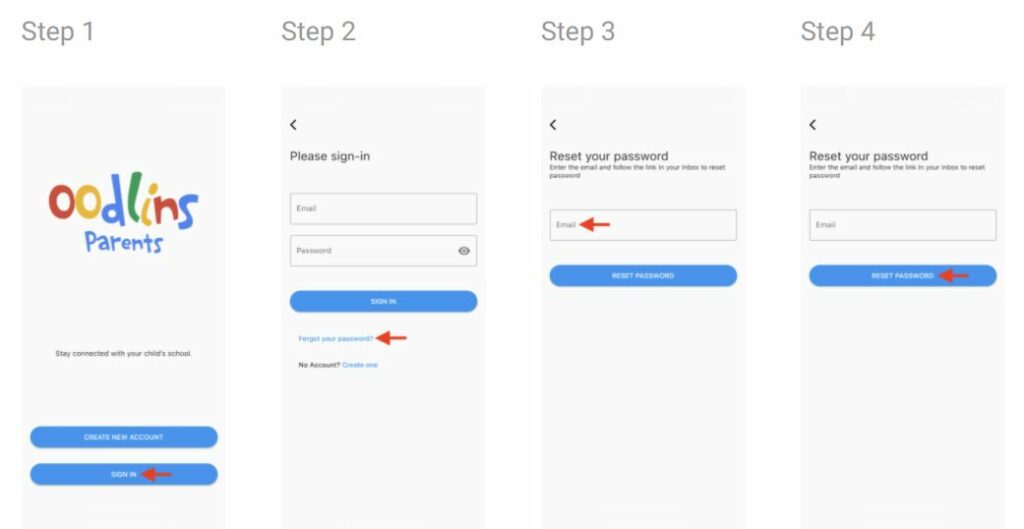
- Click Sign In
- Click Forgot your password?
- Enter the email you used to create Oodlins Parents account.
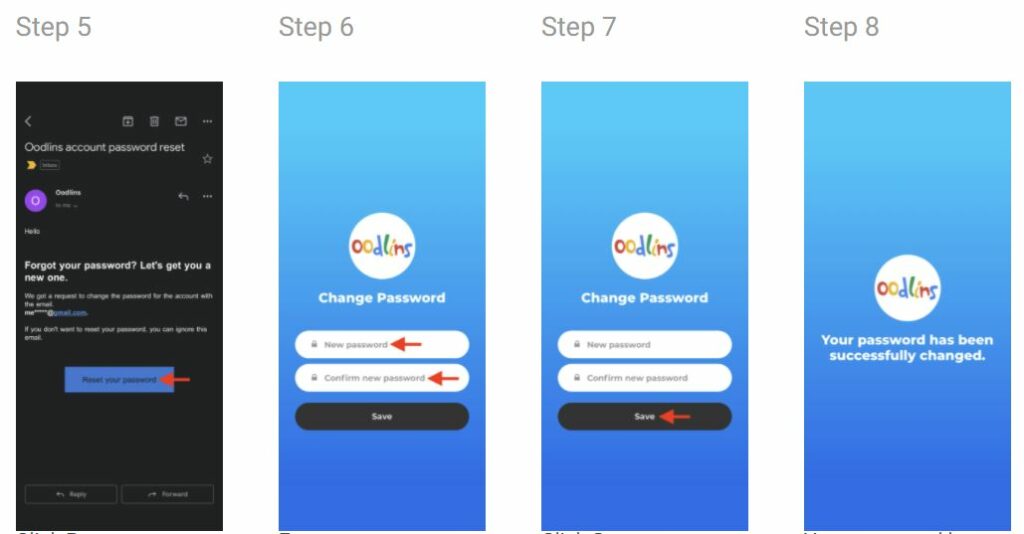
- Click Reset Password. A link will be sent to your e-mail. (Kindly check your junk or spam mail if the link did not appear in the inbox)
- Click Reset your password in your e-mail.
- Enter your new password. Re-enter your new password to confirm.
- Click Save