Table of Contents
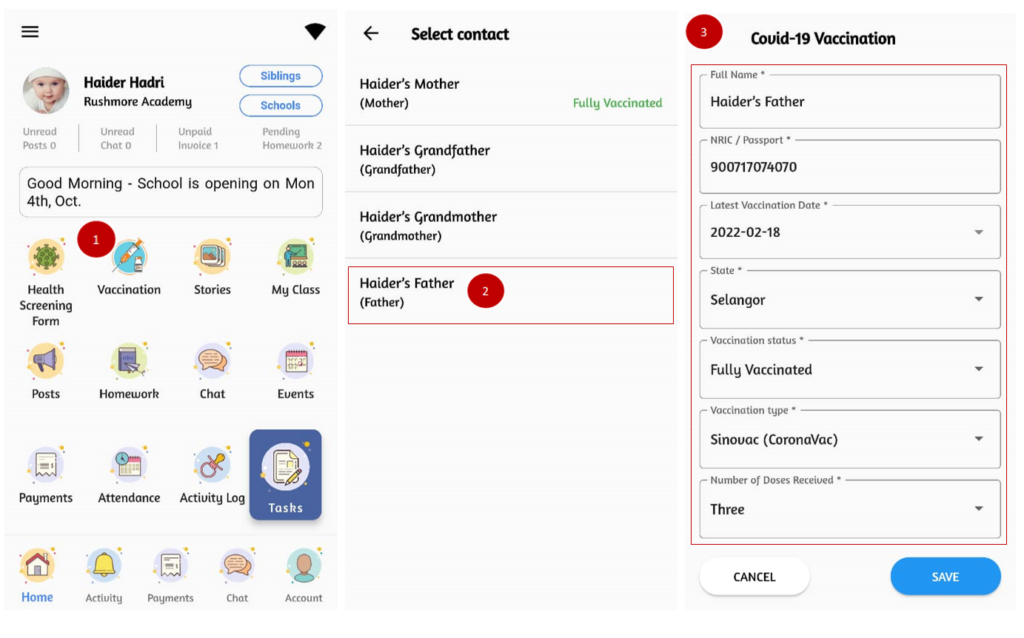
To upload vaccination details: #
It’s important for the school to get update on parents’ vaccination status to ensure the health and safety of all children in the school especially when school is announced can be operated as usual by the Government.
- From the home page, click on Vaccination.
- Fill in the Covid-19 vaccination form with your personal information and vaccination details.
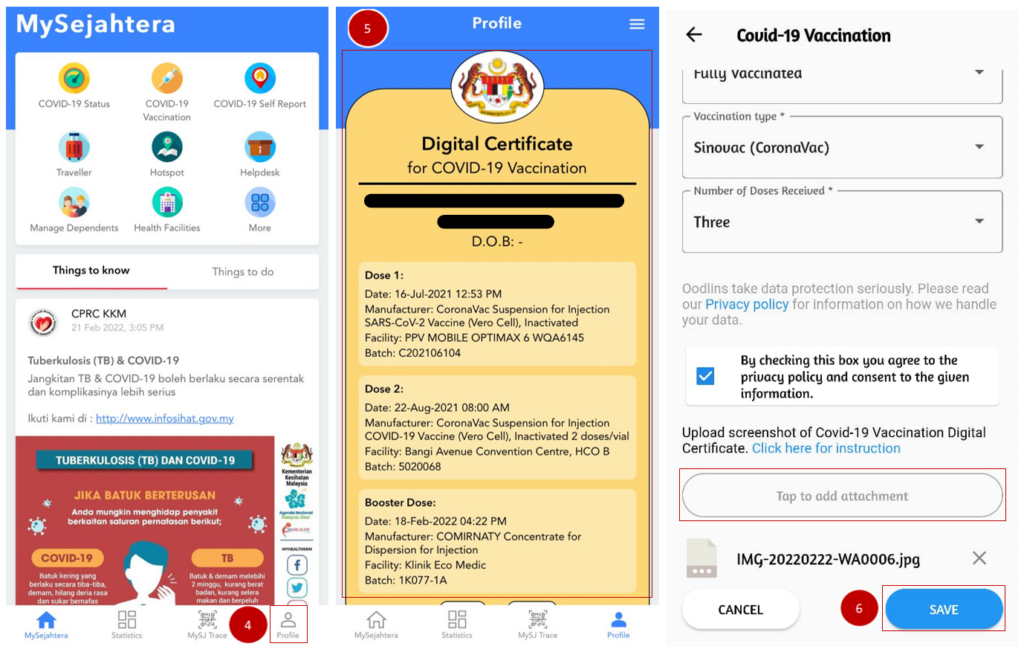
- Open your MySejahtera app, click on Profile.
- Scroll down until you see your Covid-19 Vaccination Digital Certificate and screenshot it.
- Back to the vaccination form, scroll to the bottom and tap to add attachment to upload the screenshot of your digital certificate.
- Once you confirm all the fields are correctly and completely filled in, click ‘Save’.