Table of Contents
Staff noticeboards serve as a visual way to communicate with employees. A convenient communication to keep your staff up to date about issues that impact their jobs; including events, school announcements, timetables and schedules, training courses, work celebrations and parties, promotion opportunities, meetings and updated HR policies.
Note: this is for school administrator and teachers. Parents do not have access to the staff noticeboard.
To make announcements to teachers #
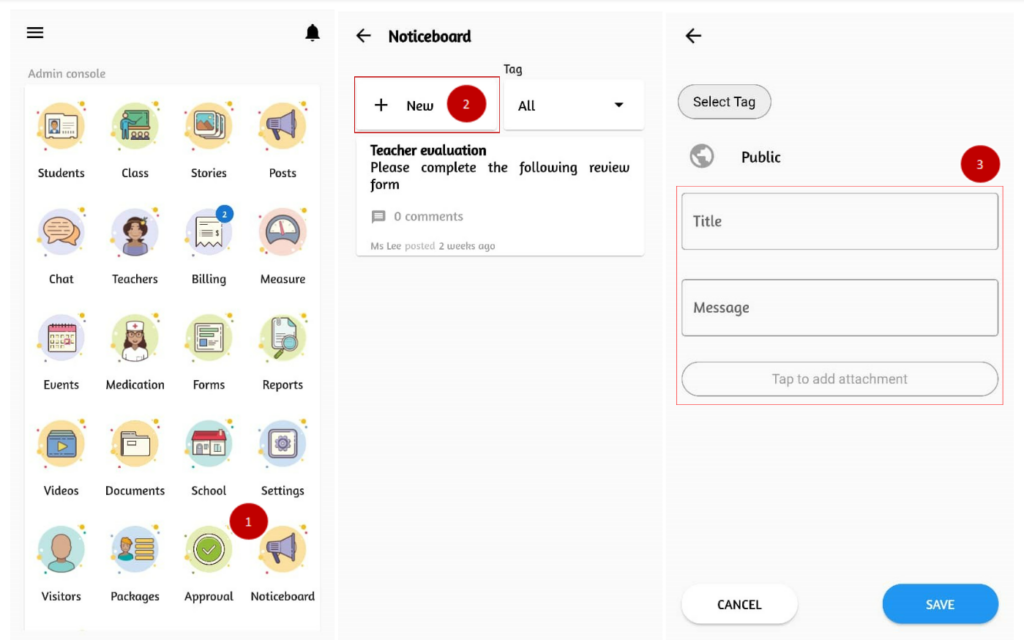
- From the admin console section, click on Noticeboard.
- From the top click + New.
- Add a Title and Message you would like to share. If you want to include a photo/document in the post you may click on tap to add attachment.
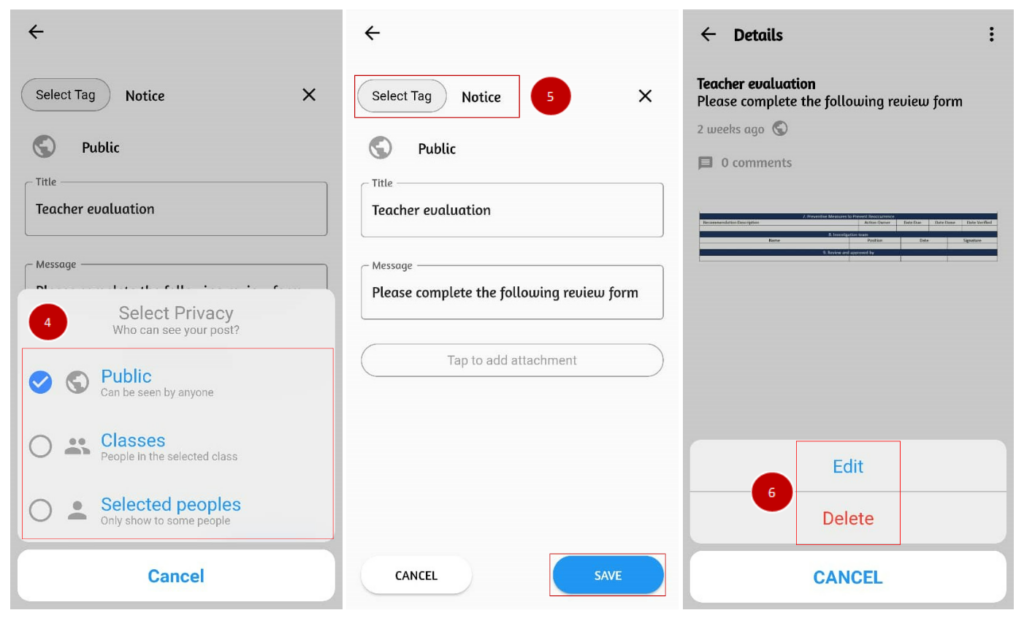
- Choose who can see your post. You will have the option to set as:
- Public: Your post will show up to every teacher in your school.
- Classes: Your post will show up to the teacher(s) in selected classes.
- Specific people: Your post will only be visible to selected teacher(s).
- Click on Select Tag to classify the post category and click Save.
- Click on the triple dot icon to make changes. To modify the record, select Edit and to remove the record, select Delete.