Table of Contents
To view progress report #
Children learn to communicate, think, and socialize in order to grow physically and emotionally. Parents can track their child’s learning activities and observation through progress report.
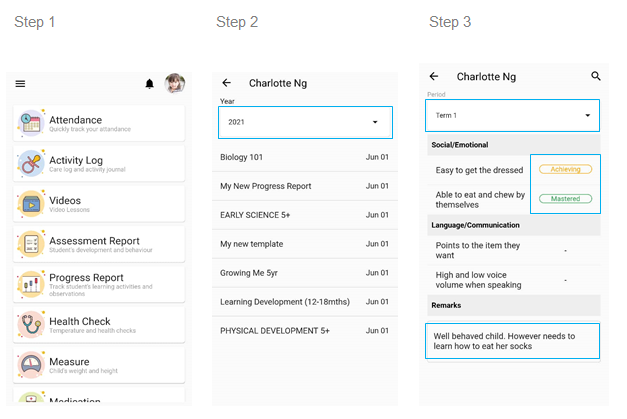
- From the home page, click on the Progress Report.
- Choose the current class year of your child and select the report from the list.
- Select the term and view the progress report.
- The report will be updated by the school either the student is developing, achieving or mastered the task.
- Any specific comments will be left by the school on remarks section.