Table of Contents
To View the Invoices #
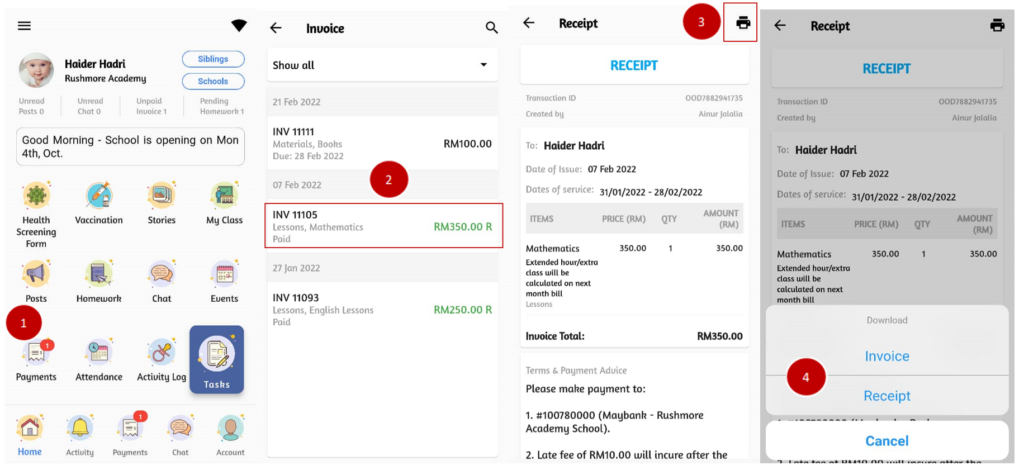
The details of payments are saved in invoice and presented in the records for parents’ future reference. Parents can re-check, download and print the receipt whenever it is required
- From the home page, click on Payments.
- Select the invoice to view the details
- Black text indicates unpaid invoices
- Green text indicates paid and receipt generated.
- Click on Print icon on the top right
- Choose either to print Invoice or Receipt.