Table of Contents
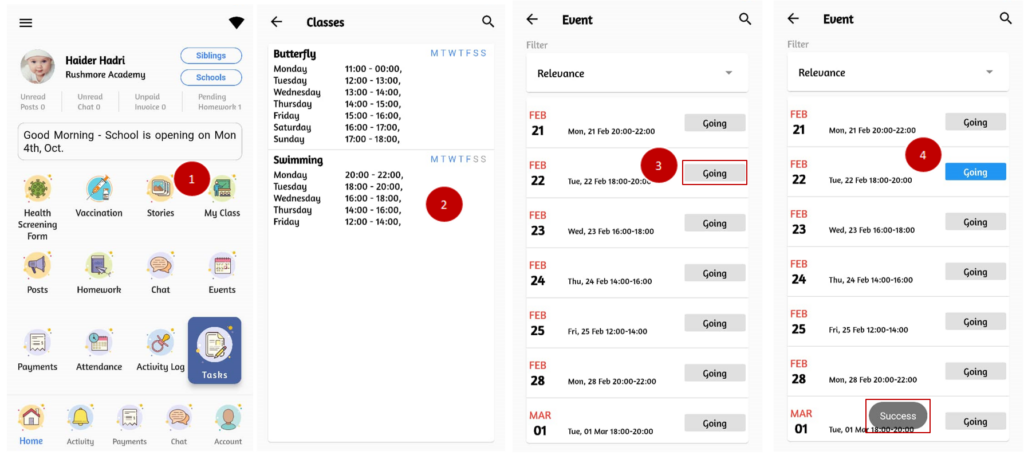
To view class schedule and book classes: #
Class schedule are prepared by the school to assess students’ performance and progress to ensure they are mastering the skills on regular basis. Hence, parents have to make sure their kids are attending class according to the period.
- From the home page, click on My Class.
- Click on the class assigned.
- To book the class, click on Going button.
- Upon confirmation, you will see a Success message at the bottom of the page and the Going button turned to blue.