Table of Contents
To view the assessment report #
Parents can check child’s daily behaviour and development through assessment report. Oodlins parent app presents the reports made by teachers for parents to look over.
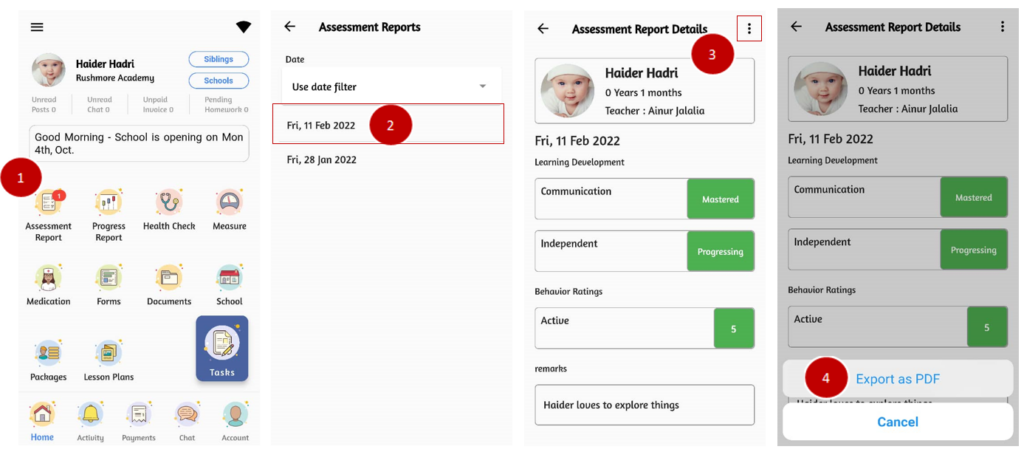
- From the home page, click on the Assessment Report.
- You can use data filter to choose the respective date or choose it from the list.
- Click on the three dots icon to export report.
- Export the report as PDF.