Table of Contents
Switch between Admin and Teacher account #
Note: this is for school administrator with permission to access the Teacher features.
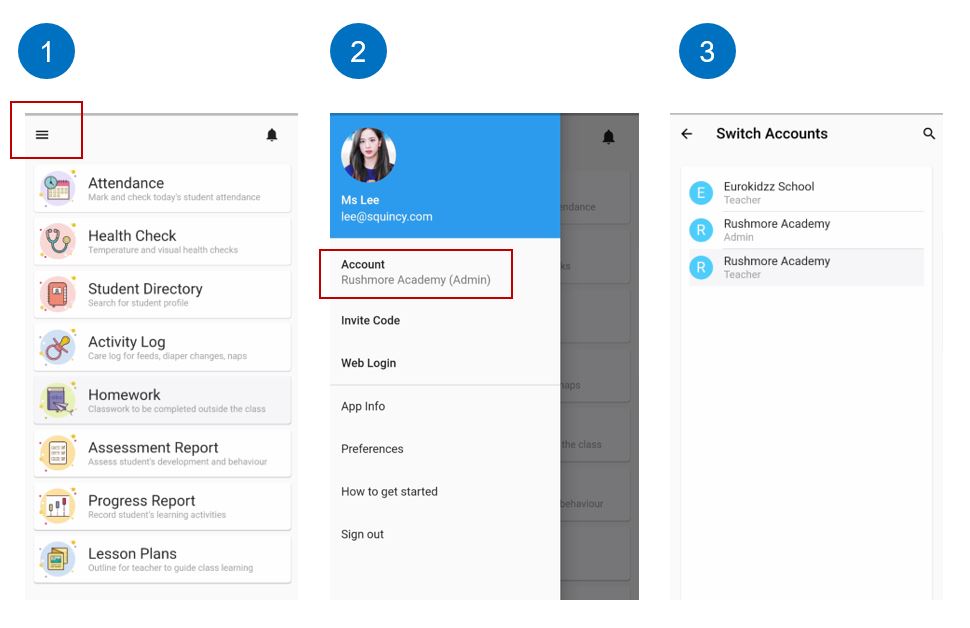
- Click the Menu icon on the top left
- Click account or the name of your school / centre
- You will see the accounts that you have been granted permission to access. Select to switch account.
Switch between different Schools or Centres #
- Click the Menu icon on the top left
- Click account or the name of your school
- You will see the school that you have been granted permission to access. Select to switch school.