Table of Contents
Our easy-to-use Weight and Height feature is designed for teachers to record and track the childrens’ growth. Allowing parents to monitor their child’s growth.
Record Weight and Height #
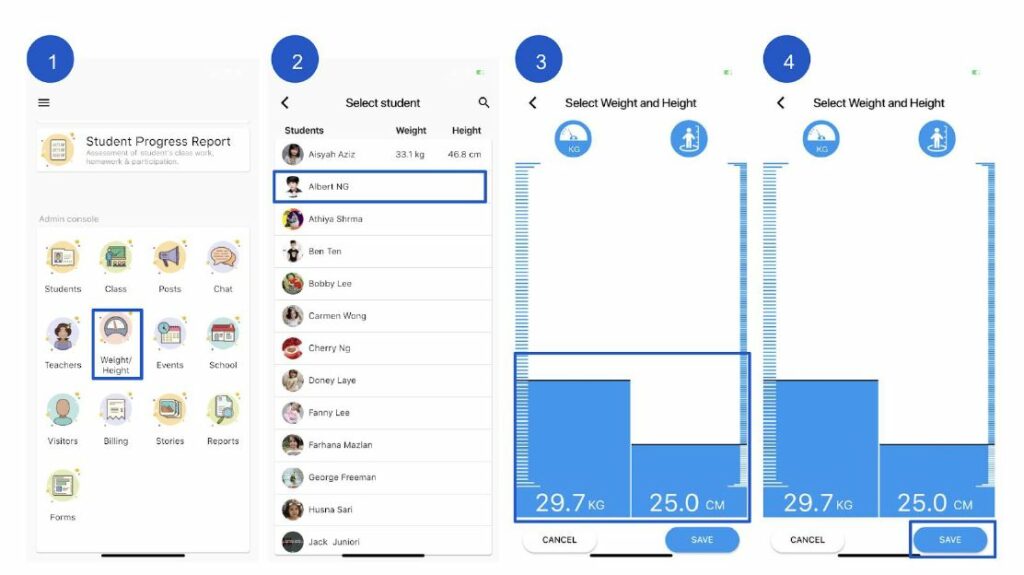
- Click Measure
- Select the student name by clicking +Add. To create multiple records, select the student and click New Weight and Height
- Drag upwards/ downwards with your finger to adjust the reading. Or click on the KG or CM text area to enter the values.
- Click the Save button when you’re finished