Table of Contents
Teachers must maintain secure, accurate and up to date records about medicines for each child receiving medicines support.
Recording when students are taking medicine #
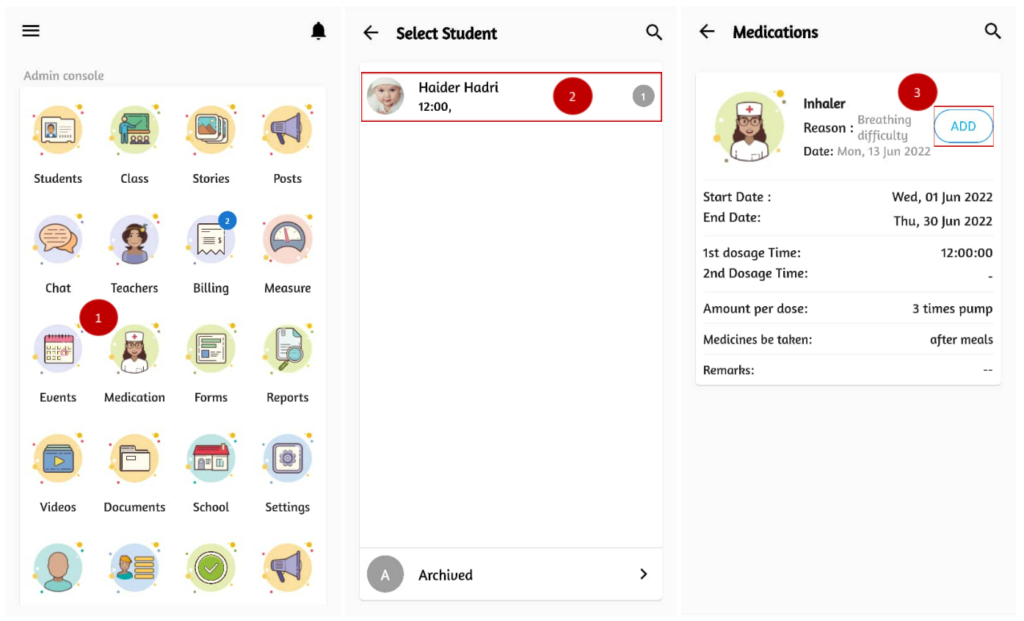
- From the home page, click on Medication.
- Select the student from the list.
- Click on the add button to record medication.
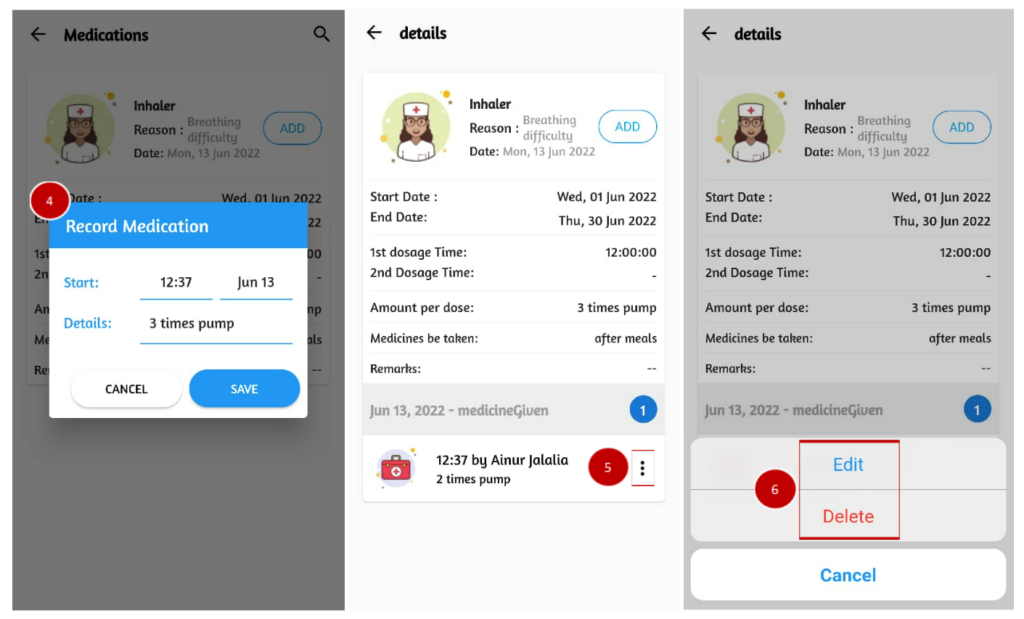
- Enter the start time and date, the medication details and click save.
- Tap on the medication details to see the record(s) made. Click on the triple dot icon to make changes.
- To modify the record, select Edit and to remove the record, select Delete.