Table of Contents
To edit or view payment status: #
School can edit or view parents’ payment status on the invoice issued. The payment status will appear either as fully paid, unverified payment, awaiting payment or overdue payment so that school can always refer on the update.
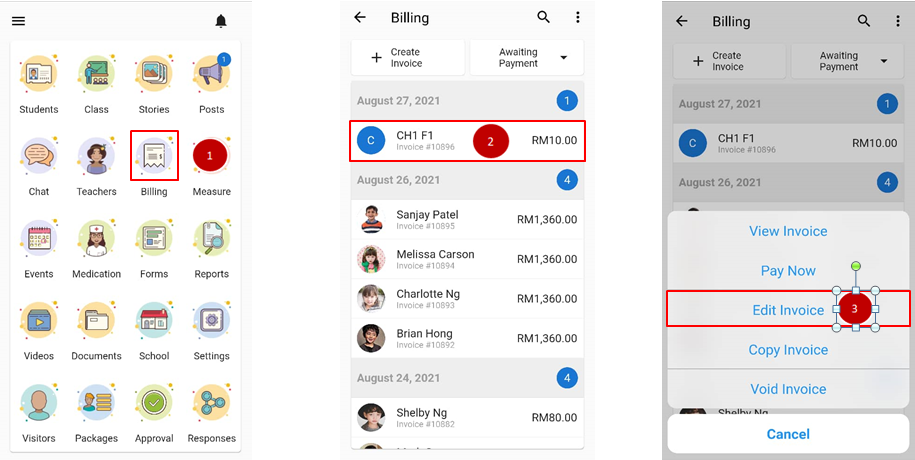
- From the home page, scroll down to admin console and click on Billing.
- Click on the invoice you wish to view.
- To do some amendment, click edit invoice.
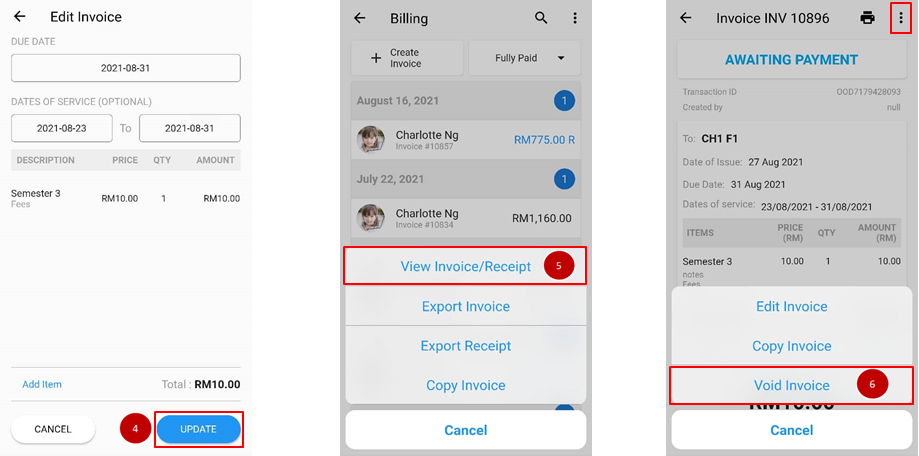
- Do the amendment needed and click update.
- To view the invoice, click on the invoice again and choose view invoice.
- If you wish to delete the invoice, click on triple dot icon and choose void invoice.
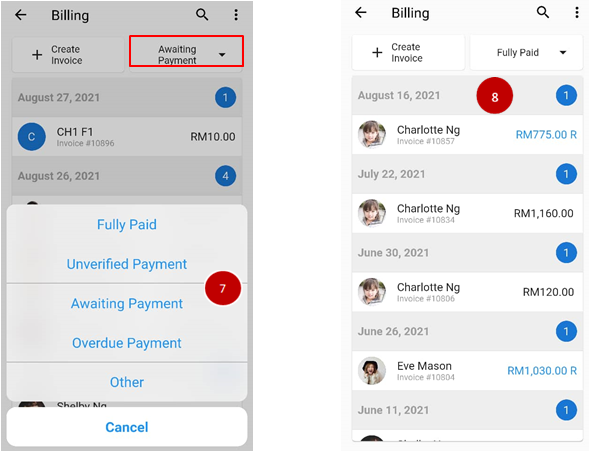
- If you wish to sort the invoice according to the status, click on the awaiting payment box on the upper right and choose the status.
- The invoice will be listed according to the payment status.