Table of Contents
To edit or delete learning activities template: #
The published learning activities template can be amended when needed. School can edit and revise the details according to the latest update.
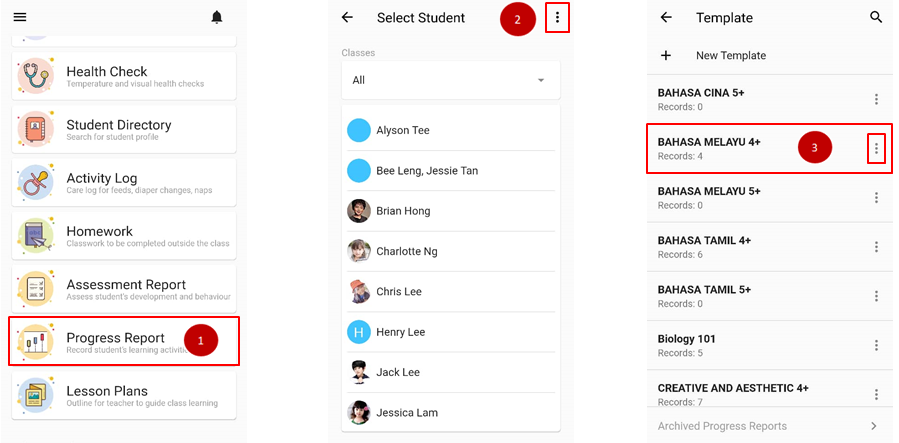
- From the home page, click on Progress Report.
- Click on triple dot icon on upper page.
- Go to the existing activities template and click on the triple dot icon again.
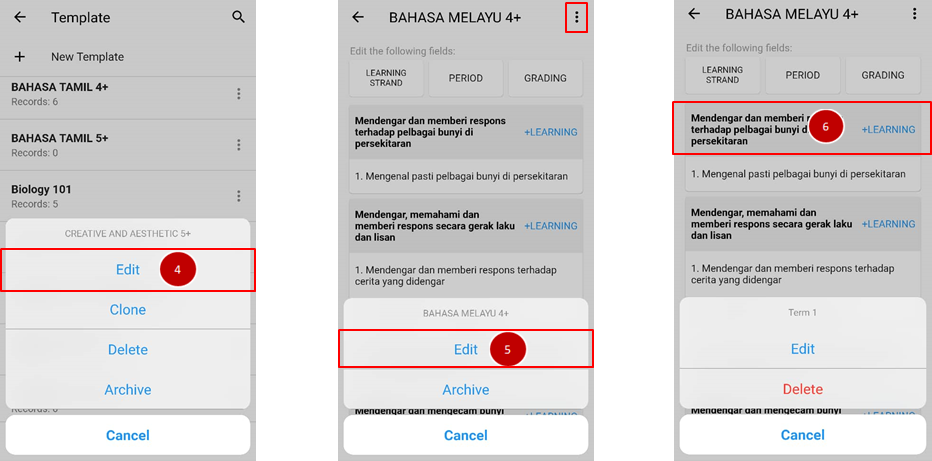
- Click on Edit button.
- Click on triple dot icon and choose edit to edit template name.
- Click on the learning strand list and click edit to rewrite the subject.
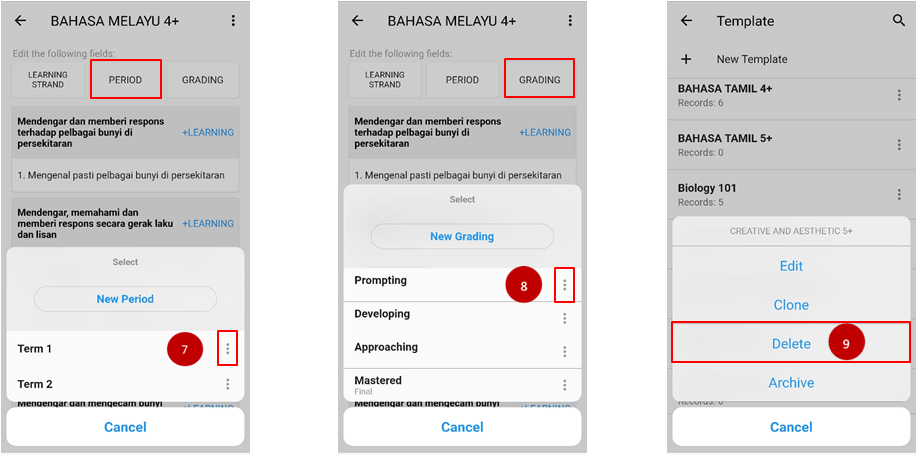
- Click on Period button and click on triple dot icon to edit/delete the time arranged on the activity.
- Apply the same step at (7) to edit/delete on Grading.
- To delete the whole activity template, on step (4) click on Delete button.