Table of Contents
To edit or delete existing assessment report: #
School can amend the assessment report by editing their grades and re-write the learning skills. If the report is no longer necessary, school can delete or remove them anytime.
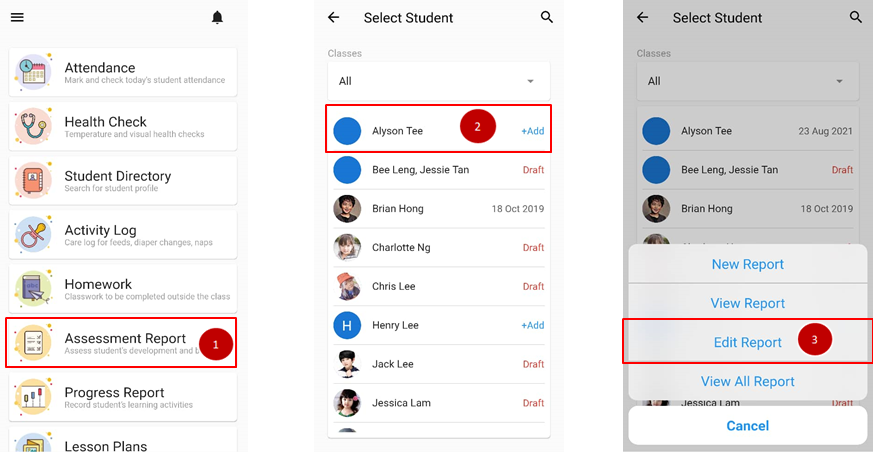
- From the home page, click on Assessment Report.
- Select the name of student.
- Click on Edit Report.
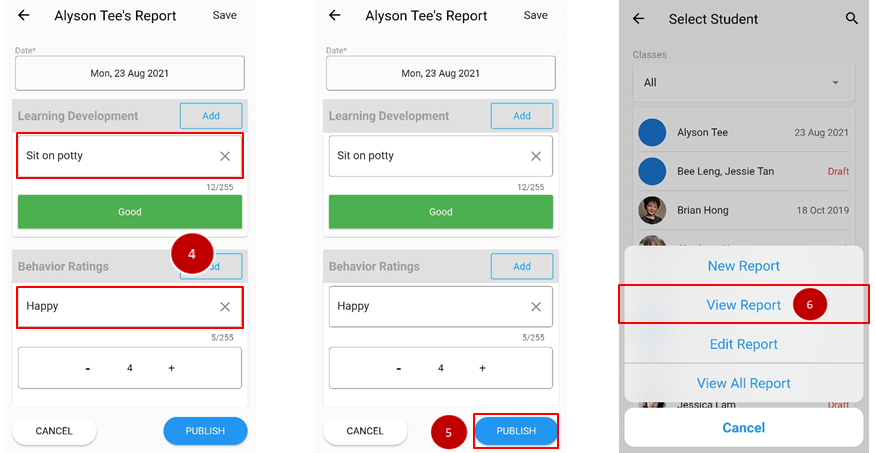
- Do the amendment needed on the report.
- Clicks Publish when done.
- To delete the report, click on the name of the student again and choose to View Report.
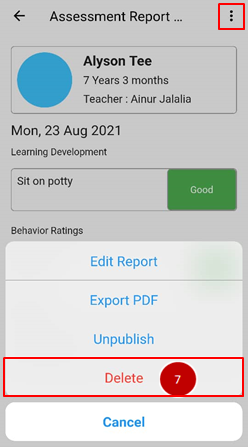
- Click on triple dot icon on upper right and choose Delete.