Table of Contents
To edit and delete activities from student’s progress report: #
Students’ activities can be amended to update students’ performance and details for parents’ reference. School can also delete the activities from the report if it is mistakenly enrolled on the students.
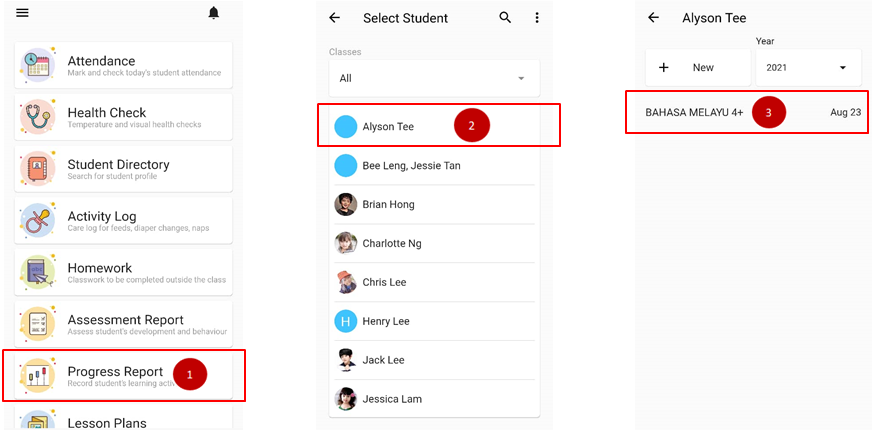
- From the home page, click on Progress Report.
- Choose the name of the student.
- Click on the report.
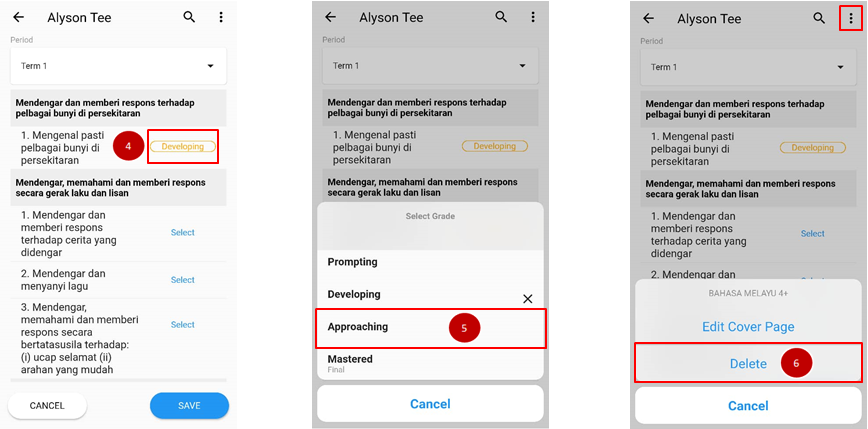
- To edit activities on the report, click on the grading section to edit student’s performance.
- Choose the grade based on student’s performance.
- To delete activities from report, click on triple dot icon and choose delete.
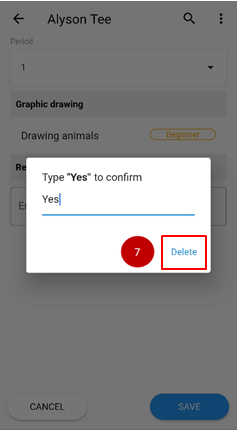
- Type YES to confirm and click delete button again.