Table of Contents
Editing and preview cover page of progress report: #
Cover page created can be amended to change details for instance report title, name of teacher, class etc. If it needs to be changed, school can update in the app and it will notify the parents.
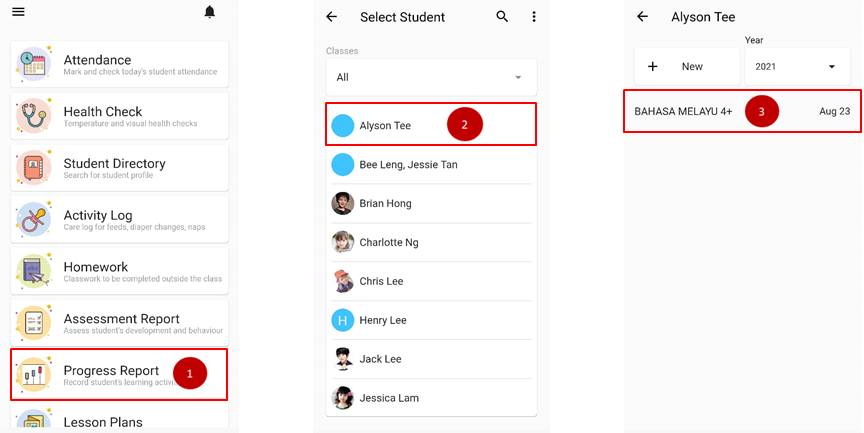
- From the home page, click on Progress Report.
- Choose the name of the student.
- Click on the report
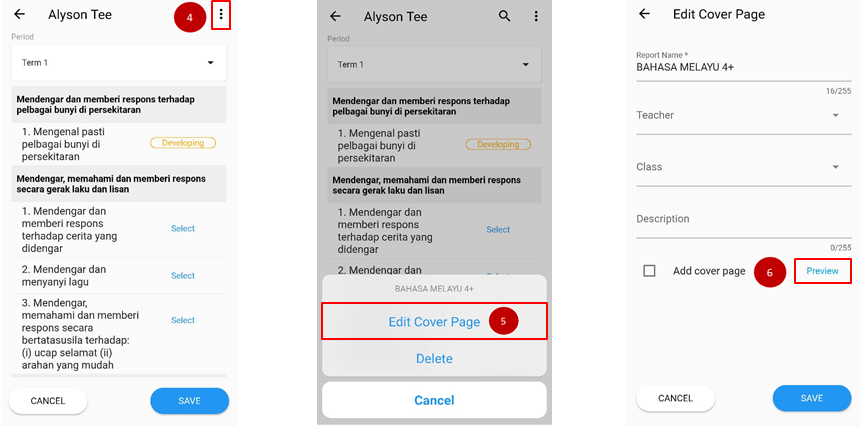
- Click on triple dot icon on the upper page.
- Choose Edit Cover Page.
- Fill in the amendment needed for report name, teacher, class and description.
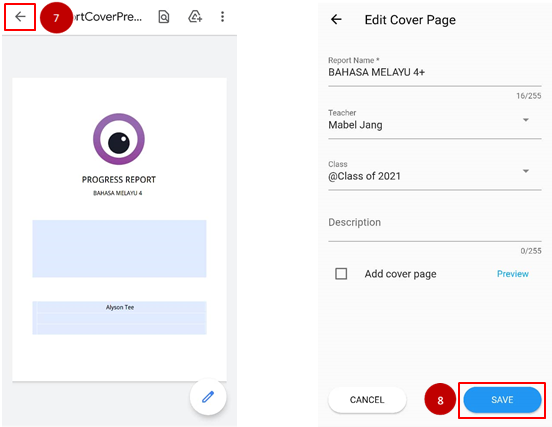
- Click on the preview to see the full cover page.
- Go back to the previous page and clicks Save.