Table of Contents
To create students’ progress report: #
Progress Report in Oodlins allows school to record students’ learning activities and their progress. Each activity would be updated and graded for parents to monitor their child’s development.
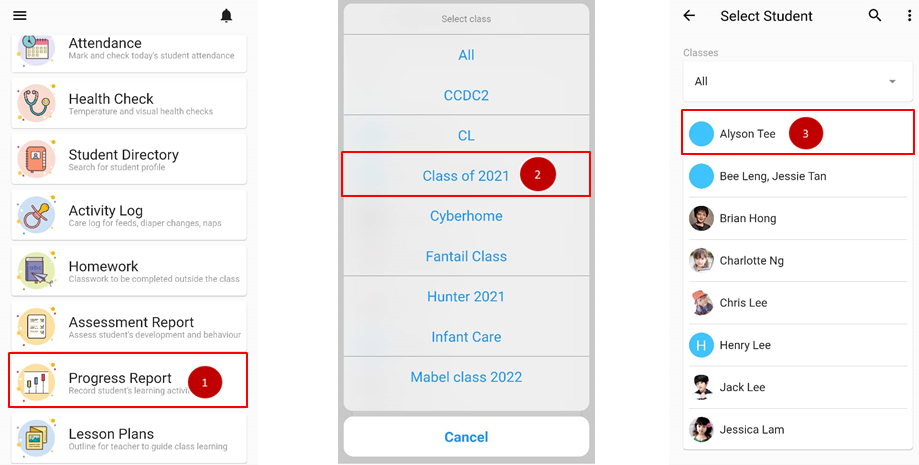
- From the home page, click on Progress Report.
- Choose the class student enrolled.
- Choose the name of the student.
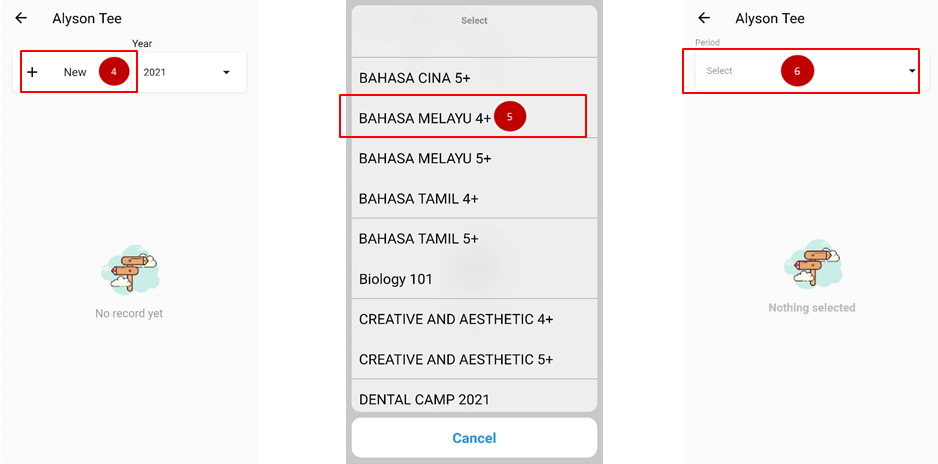
- Click on +New.
- Select the activity progress to be updated.
- Click on the period.
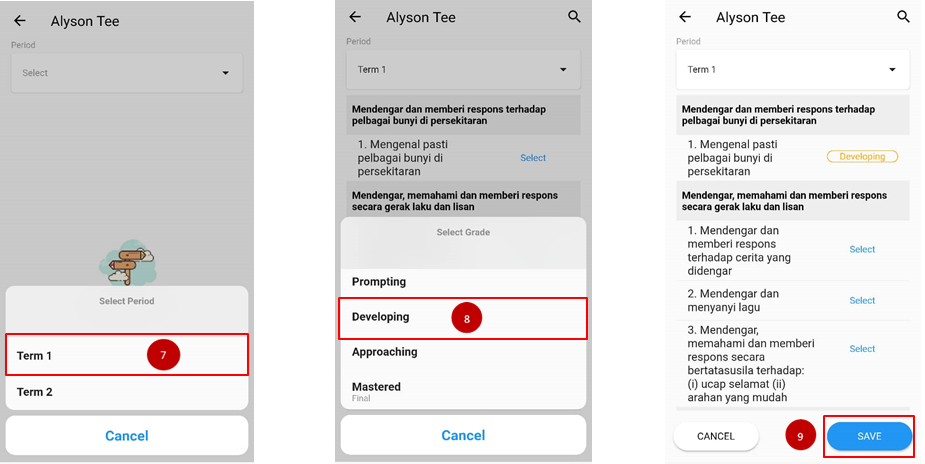
- Select the period when the activity is being held.
- Review the learning session, click on select button and grade the performance of the student.
- When you are done grading all, clicks Save.