Table of Contents
To create new learning activities template: #
The school’s fundamental task is to get students to engage in learning activities that are likely to result in achieving outcomes. Each of the activities can be recorded and graded according to students’ performance.
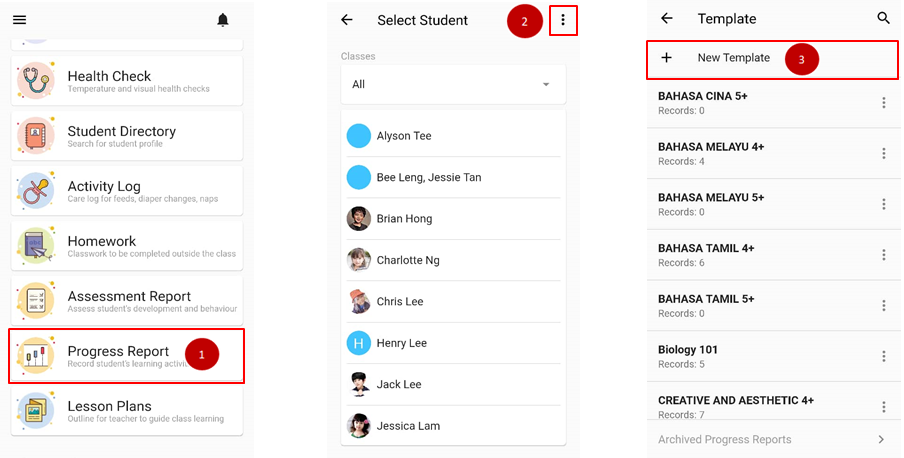
- From the home page, click on Progress Report.
- Click on triple dot icon on upper right.
- Click on + New Template to create new template
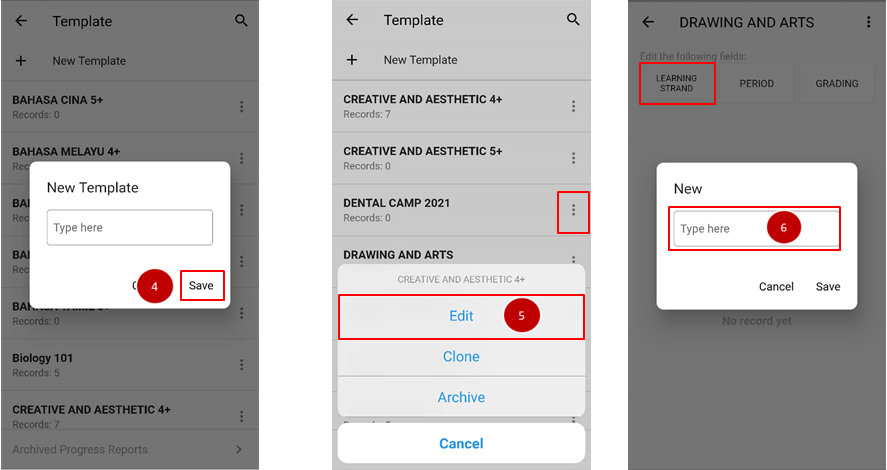
- Fill in the new template and clicks Save.
- Go to the newly made template, click on triple dot icon and choose edit.
- Click on learning strand button to add the main activities.
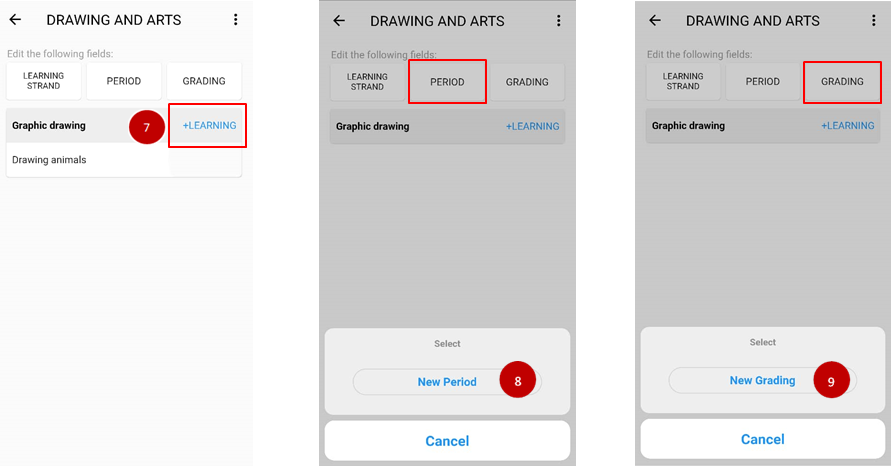
- Click on +Learning to add the learning sequence.
- Click on Period button to add the time arranged on the activity.
- Click on Grading button to add improvement level of the activity.