Table of Contents
Packages are designed for classes that are charged per lesson or sessions. The feature allows schools to track packages by student, where you can assign a package to a student and tokens are used to tracked the balance number of lesson/session have. This is extremely useful for enrichment centers, extracurricular activities or sensory therapy & intervention program.
To create lesson package: #
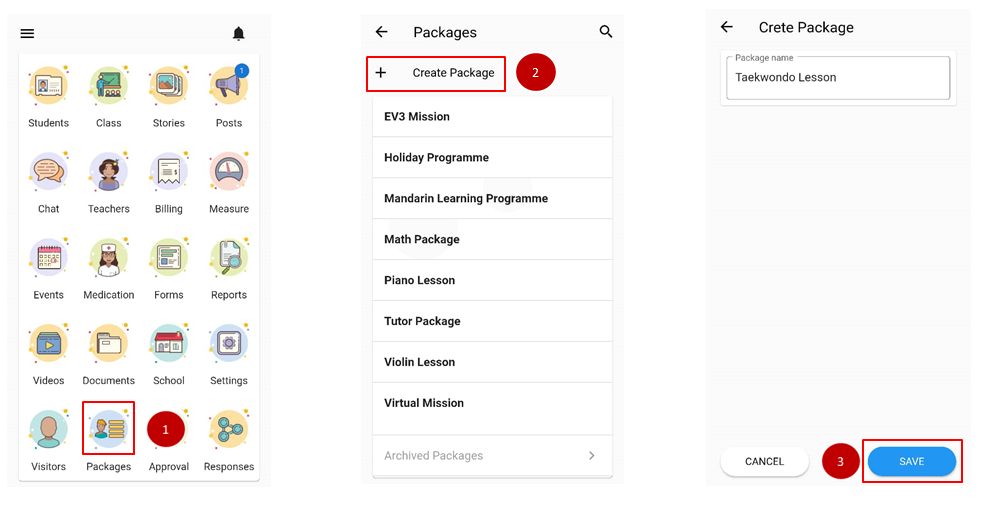
- From the home page, scroll down to admin console and click Packages.
- Click on + Create Package
- Fill in the package name and clicks Save.
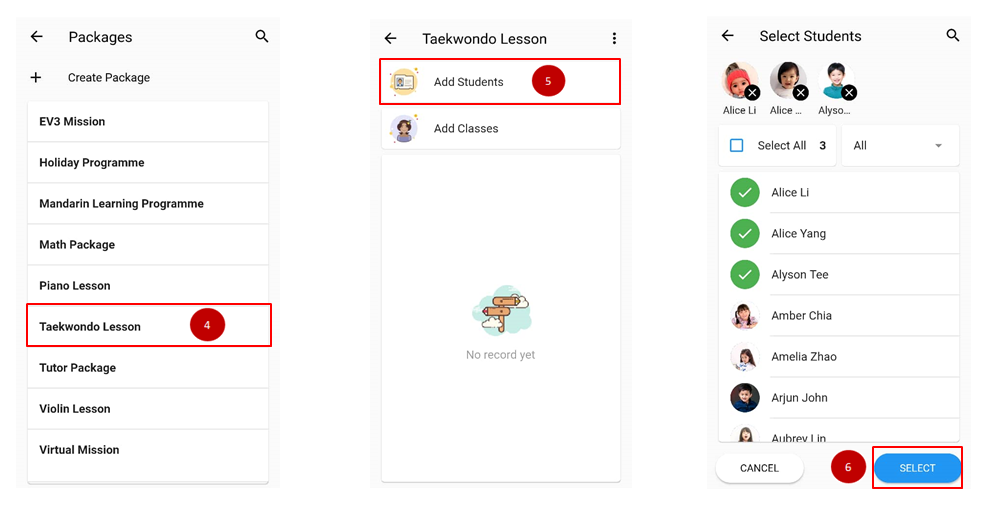
- Click on the newly made package.
- Click on add student
- Select student and clicks Select button.
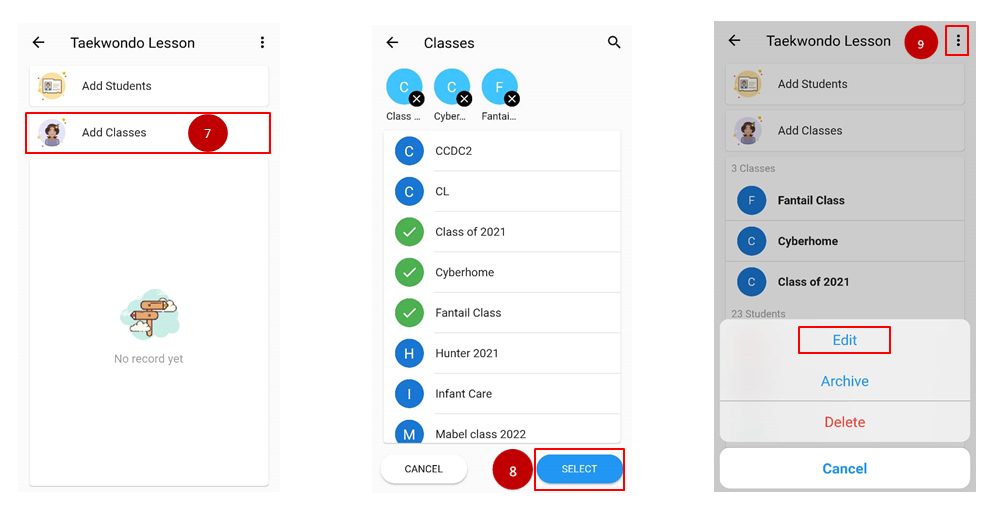
- If the package is prepared for the whole class, clicks Add Classes.
- Select the classes involved and clicks Select button.
- Click on the triple dot icon on the upper page if you wish to edit the name of the package.