Table of Contents
Billing and invoicing handled seamlessly. In billing, school can create and send invoices to parents in one go. Regular automated reminders for payments in app. Make ad-hoc additions, receive payments in minutes
To create invoice: #
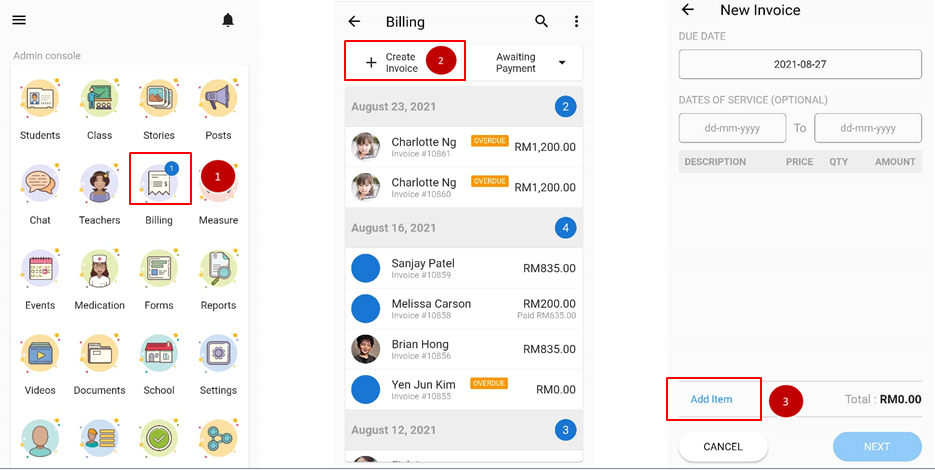
- From the home screen, scroll down to admin console and click on Billing.
- Click on create invoice.
- On the new invoice fill in the due date and click add item.
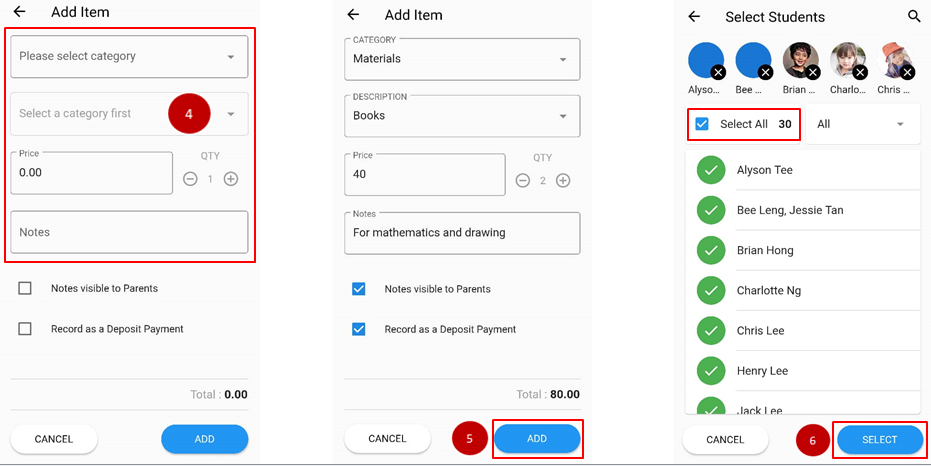
- Fill in the details of the bill on the category, the amount needed to be paid and remarks for parents’ reference.
- Once done tick on the notation if required for the bills and click add.
- Select the student to charge the bills to or select all if the bills impose to everyone. Then click Select button.
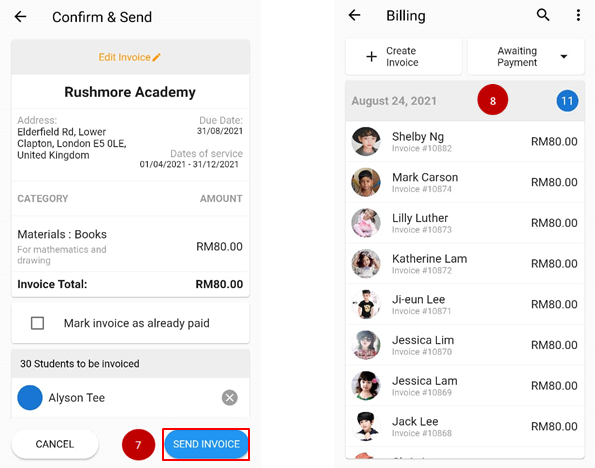
- Review the invoice details and mark the box if the parents paid before the invoice is created. Click Send Invoice when done.
- All the bills will be reflected on the list.