Table of Contents
To check app version: #
The version of an app is the best way to tell whether a certain feature is available to you or not as certain features will only work on the latest version. Read on to find out what version you’re running.
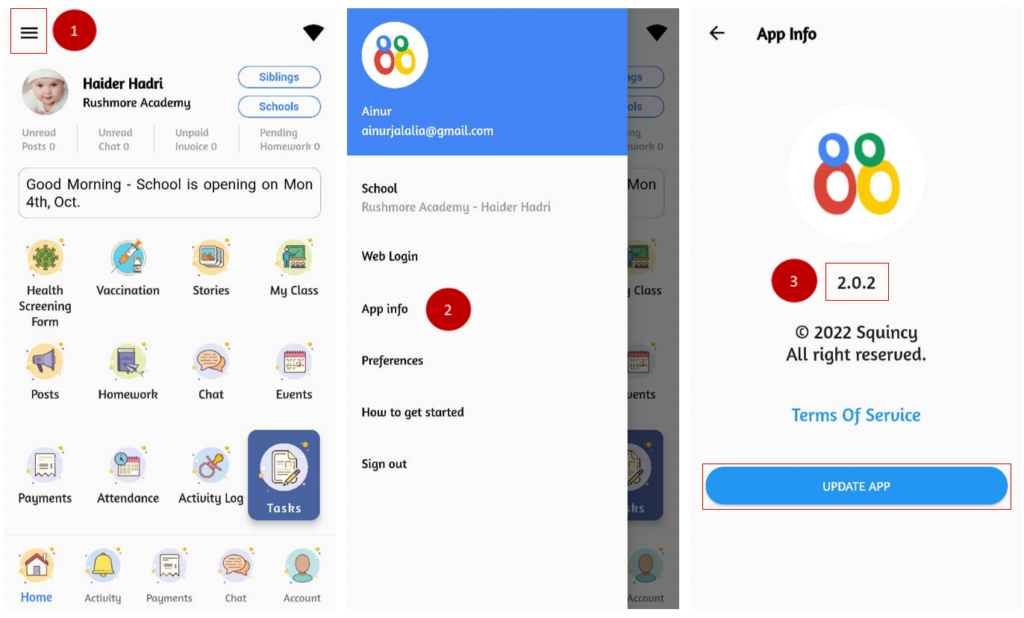
- From the home page, tap the menu button on the top left side of the screen (the three lines).
- Click on App info.
- Your app version is as per displayed. To check for an update, click on Update App.