Table of Contents
To chat with school or teachers #
Parents can send and receive message from the school about their child’s necessities and conditions.
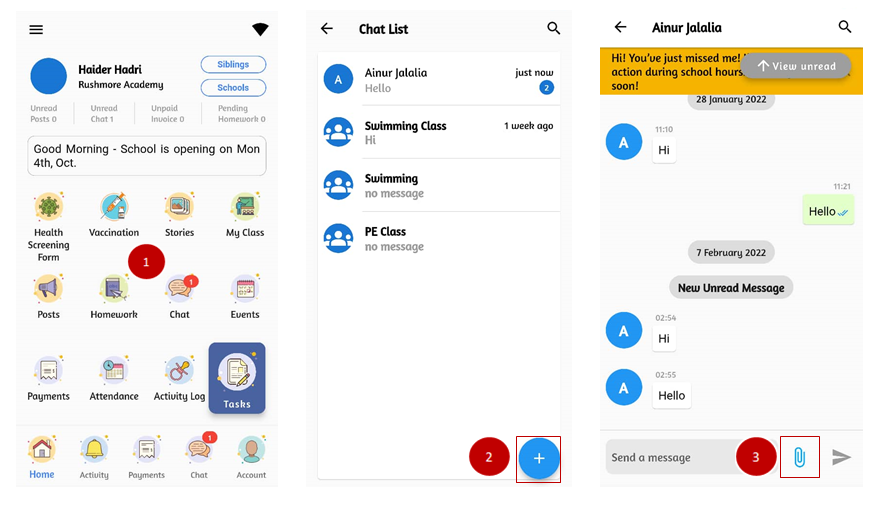
- From the home page, click on Chat.
- Click the + button at the bottom right if you wish to chat with a new person. Chat box with blue numbers indicate unread messages.
- Open the chat box with unread messages. Click on the attachment icon if you wish to send attachment.
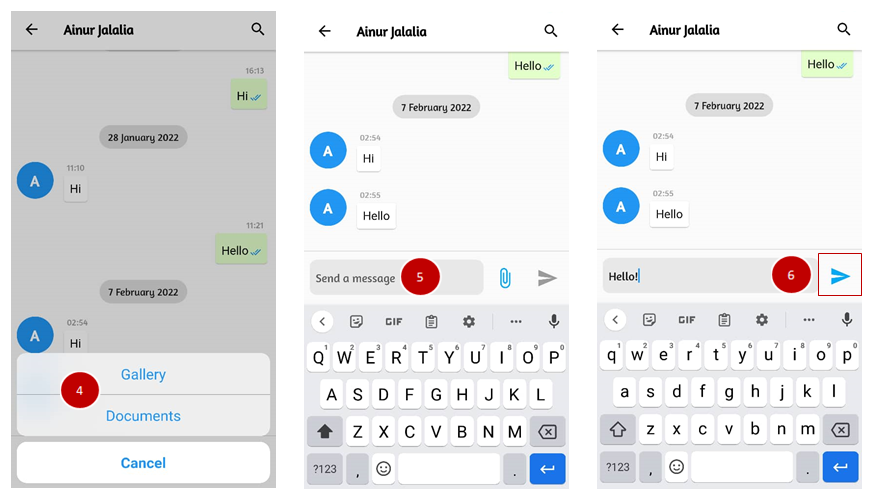
- Choose your attachment files in form of document or pictures.
- To send message, fill in the “send a message” box.
- Click on the send button to proceed sending messages.