Skip to the content
Oodlins
Oodlins Help Center
Menu
Help Center
Home
Help Center
General
How to change your profile photo
How to change your profile photo
Table of Contents
Change your profile photo
Change your profile photo
#
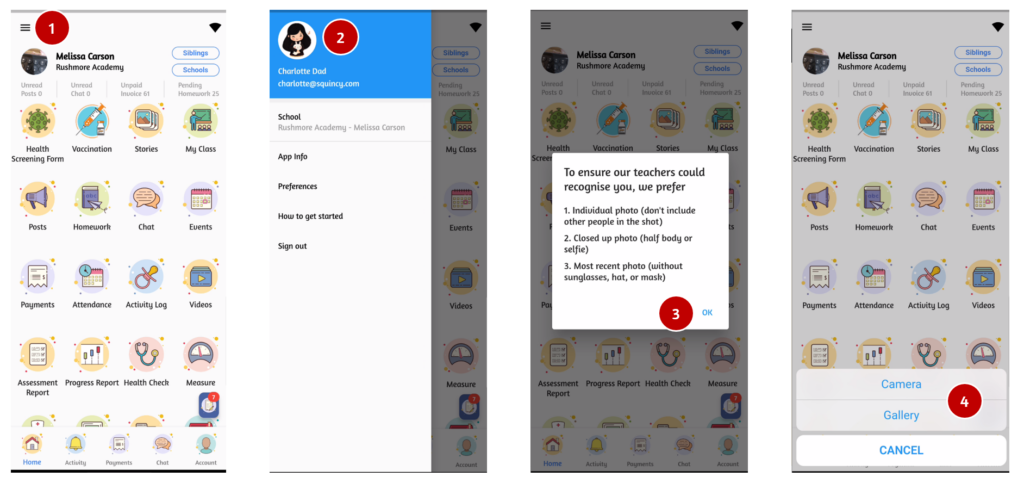
Click the
Menu icon
on the top left.
Click on your photo on the upper left.
Read the details and click
OK
Select the photo from your phone’s
Gallery
or use the
Camera
Once done click
Confim
How to view lesson and packages for my child
How to make request to school
 Oodlins