Table of Contents
To add new event #
Events in Oodlins allows schools to insert the school semester break, public holidays, events and special activities. Therefore, parents will be able to plan the children’s activities ahead.
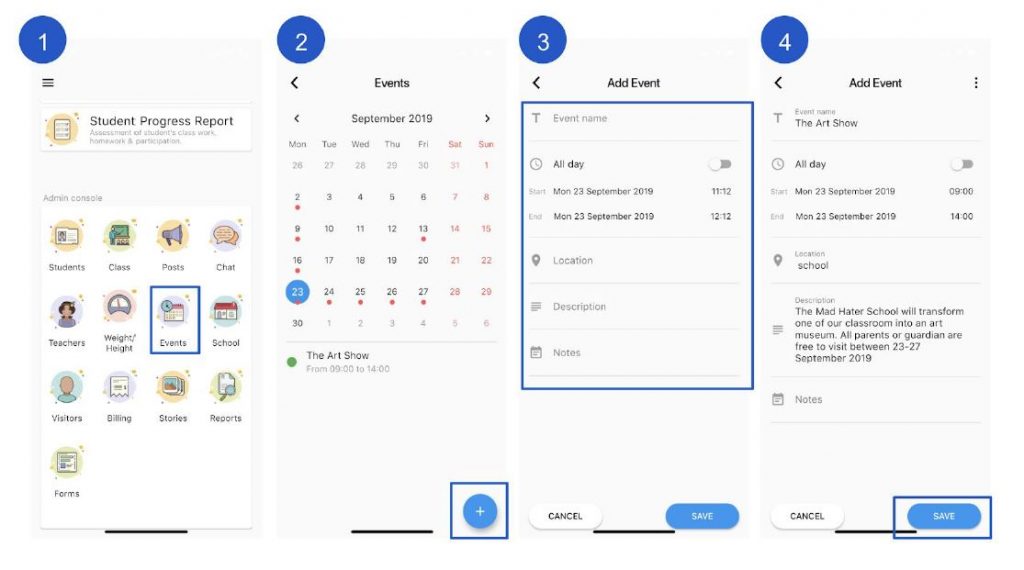
- Click Events icon
- Click the + add button at the bottom right to create new event
- Add a Event Name, Date, Location, Description and Note you’d like to share.
- Click Save.