Table of Contents
Some important documents like students’ curriculum document, subjects or medical history can be stored in the apps. School can upload the documents and set the privacy either to be shown to all or to targeted viewers.
To add documents: #
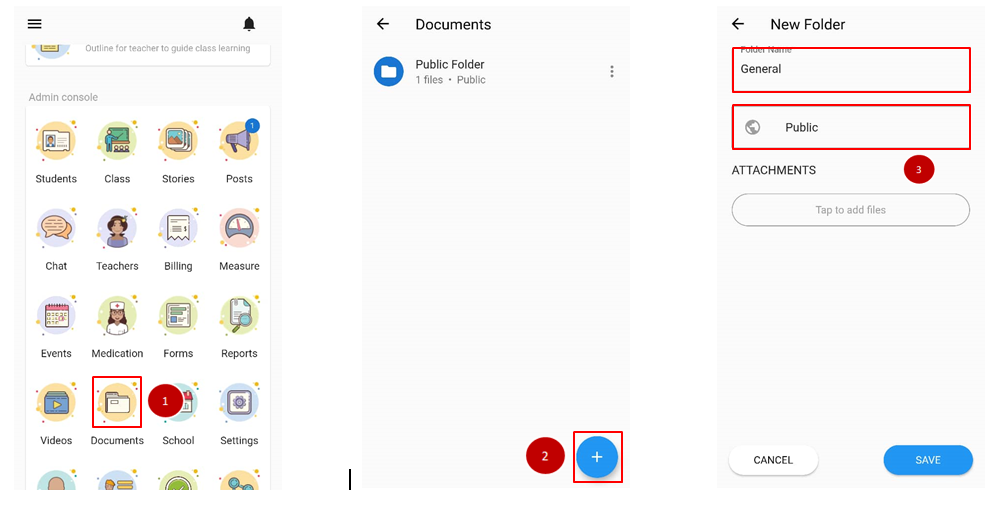
- From the home page, scroll down to admin console and click Documents.
- Click on + to make a new folder.
- Fill in the folder name and click on the section below to choose privacy
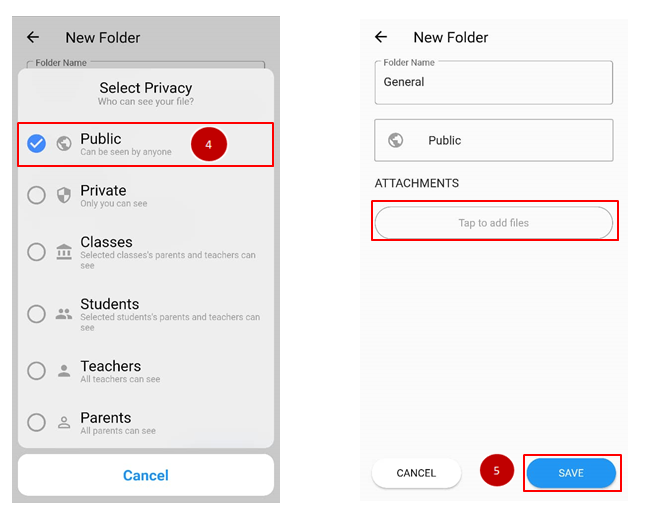
- Select privacy.
- Select on tap to add files to insert documents and clicks Save.