Table of Contents
View and approve your staff’s leaves requests via Oodlins app.
Note: this is for school administrator with permission to access the Approval section.
Approve Teacher’s leave request via Oodlins App #
- Click the Approval icon

- Select the Teacher to view the leave details
- Click Approve
- You can also Reject the request
Note: this is for school administrator with permission to access the Staff Management section.
Approve Teacher’s leave request via Web Portal #
- Sign in to portal.oodlins.com
- Head into Staff Management and followed by Leave
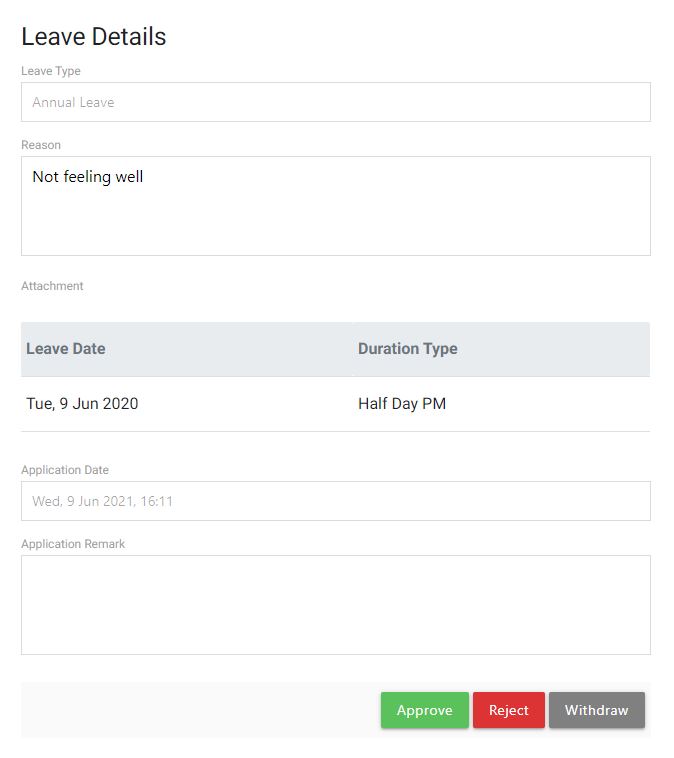
- Click into the Teacher name to view the leave details
- Click Approve
- You can also Reject the request
- You can also Withdraw the request if there is any error made
- [Optional] Application Remark : Type a remark for future reference