Table of Contents
To create and publish new assessment report: #
Parents can check child’s daily behavior and development through assessment report. School can presents the reports for parents to monitor by publish on the app.
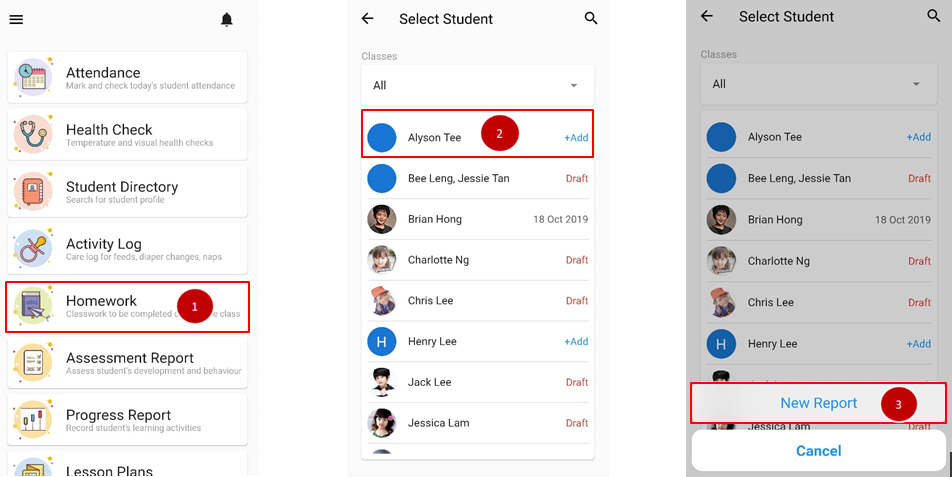
- From the home page, click on Assessment Report.
- Select the name of student to add report for.
- Click on New Report.
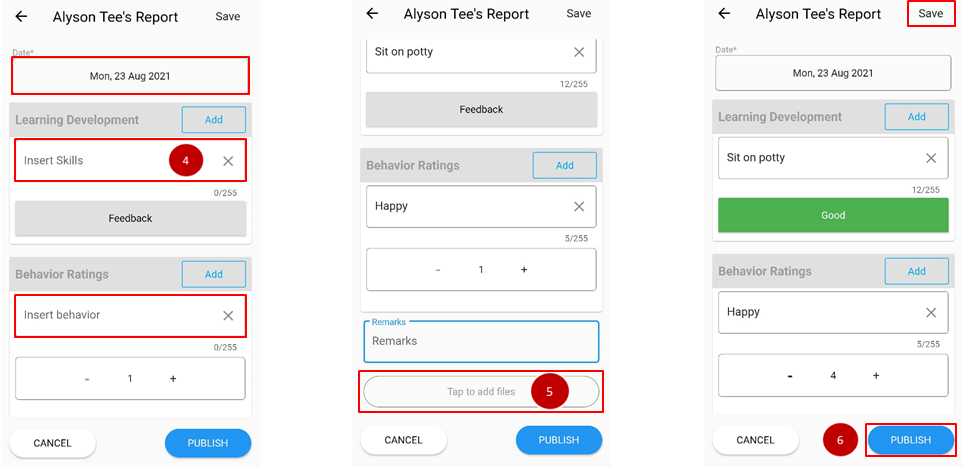
- Choose the date and fill in the student’s current skills and behavior.
- Scroll down to include files for parents’ reference.
- Clicks save to temporarily save the report or publish when done.
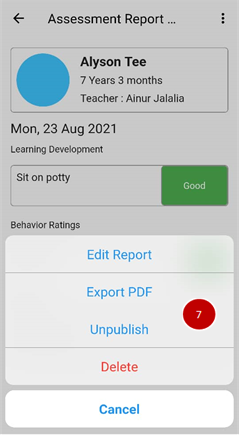
- Click on the name of the student again to Edit Report, Export PDF, Unpublish or Delete report.